A project is a way to group related work.
Projects keep related chats, instructions, and apps in one place so it’s easy to organize your
work.
Projects include:
- a name, description, and icon;
- optional instructions for how agents should work in the project;
- optional skills that agents can use while working in the project;
- optional apps and connections that agents can use while working in the project;
- tasks that are common in the project—agents will manage these; and
- optional loops that run repeatedly on a custom schedule.
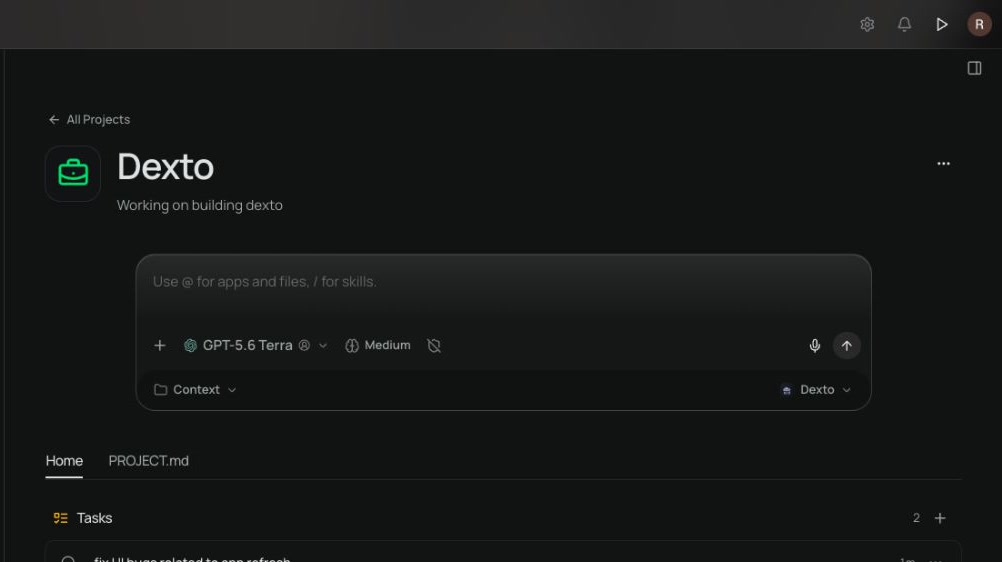 Project features / 01 Project home Keep the project’s name, description, chats, and current work together in one place.
 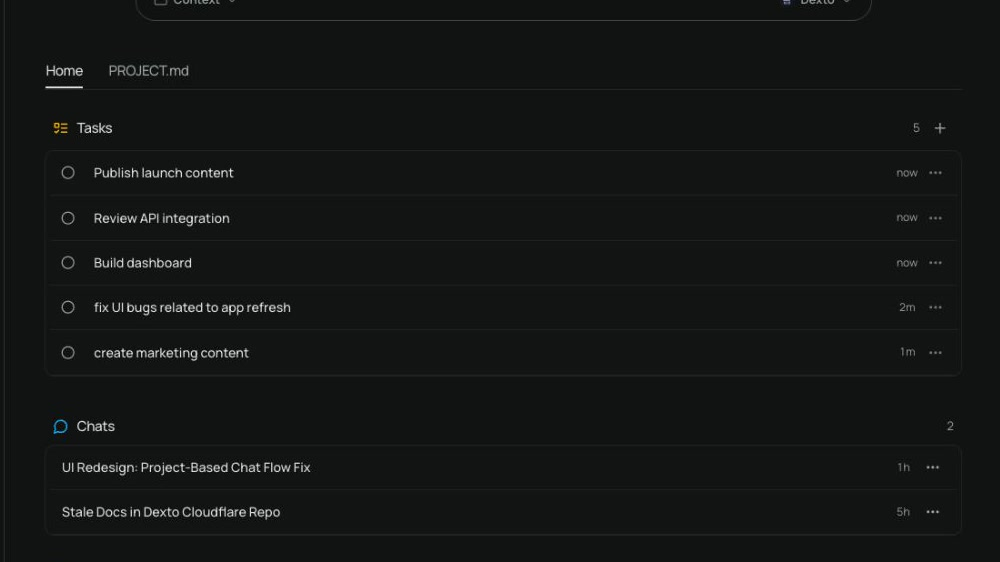 Project features / 02 Project activity See tasks, chats, and loop runs together from the project home.
 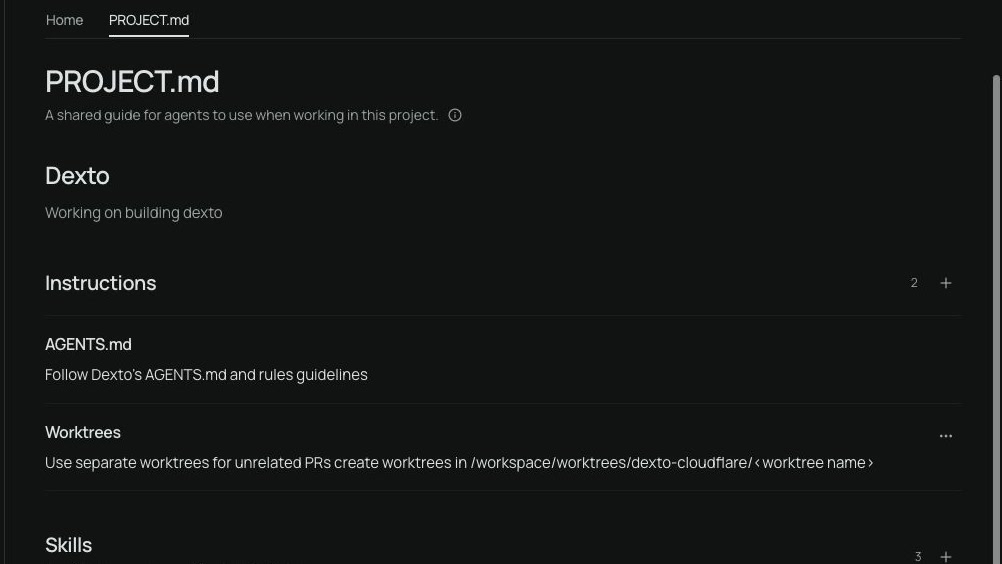 Project features / 03 Instructions Give agents shared instructions that shape how they work in this project.
 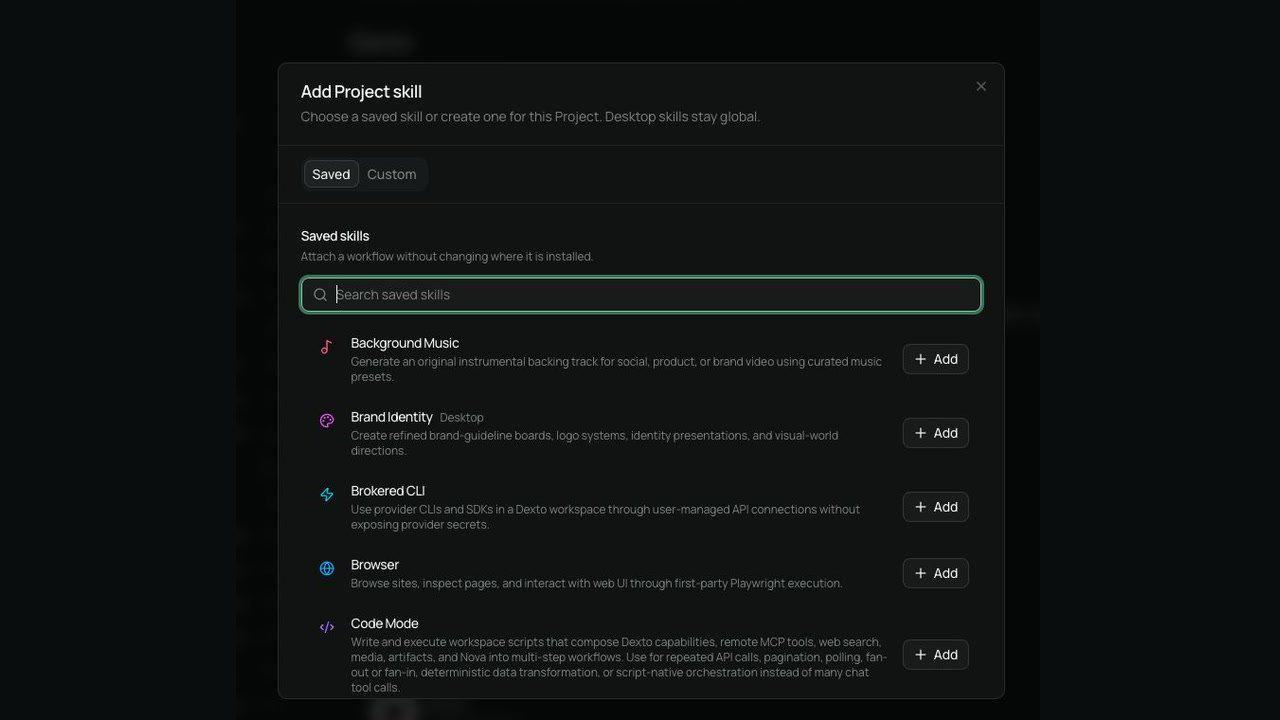 Project features / 04 Skills Attach saved workflows to a project so agents can use the right skills for the work.
 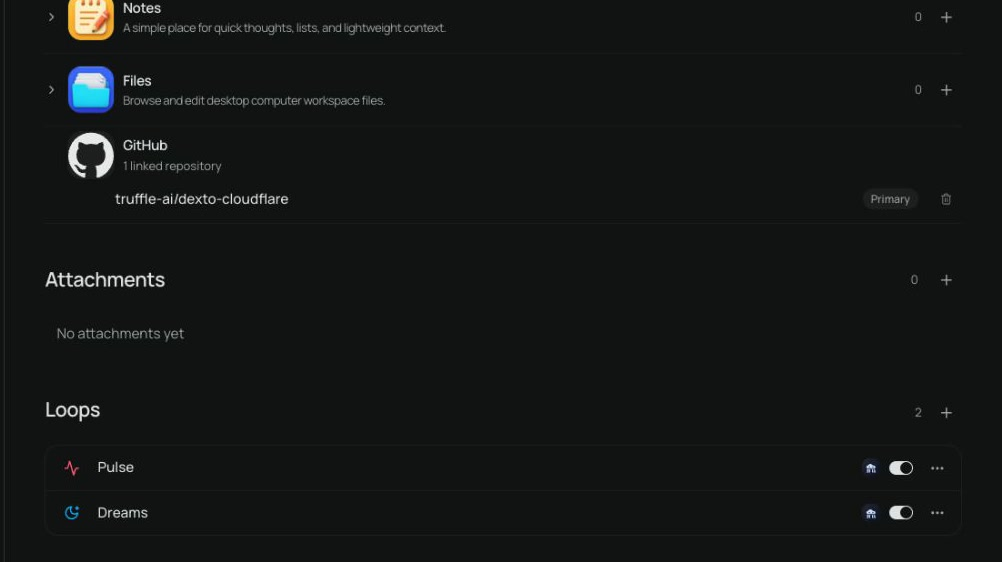 Project features / 05 Apps and connections Attach the apps, files, and connections agents can use while working.
 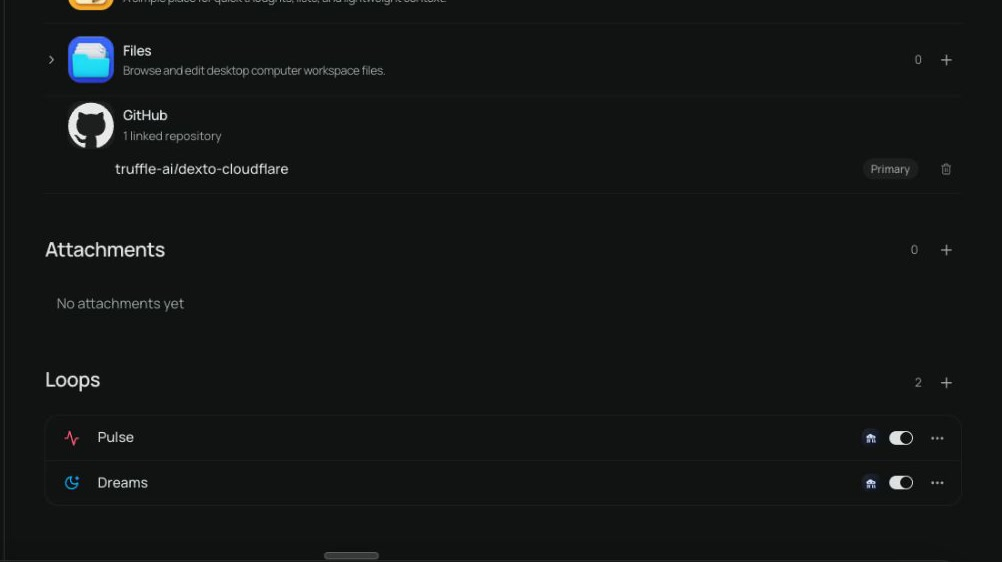 Project features / 06 Loops Keep recurring workflows with the project and toggle them on or off as needed.
 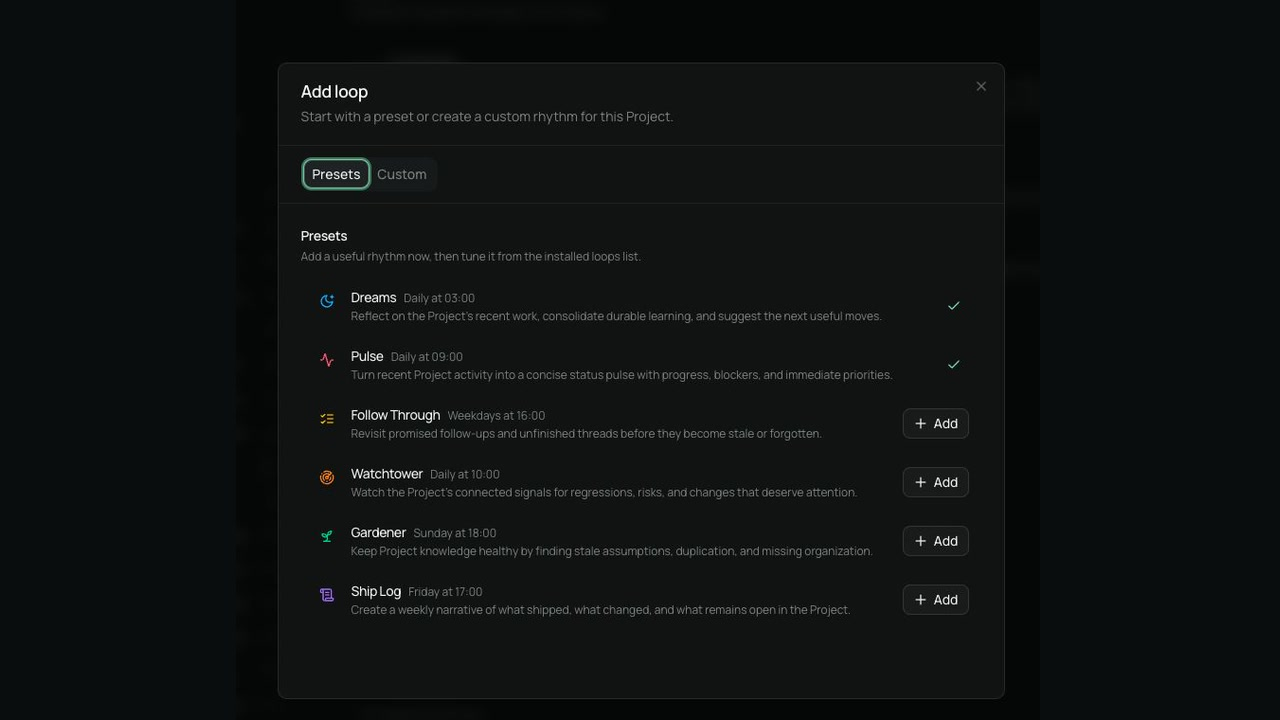 Project features / 07 Loop presets Start with a preset rhythm, review its schedule, and add the loop that fits the project.